
Throughout our telecommunications series, we have explored how voice communication evolved over time. We have also examined essential phone system features. Now, let’s explore the conference call, a familiar capability that brings several people into the same real-time conversation, regardless of where they are located.
What is a conference call?
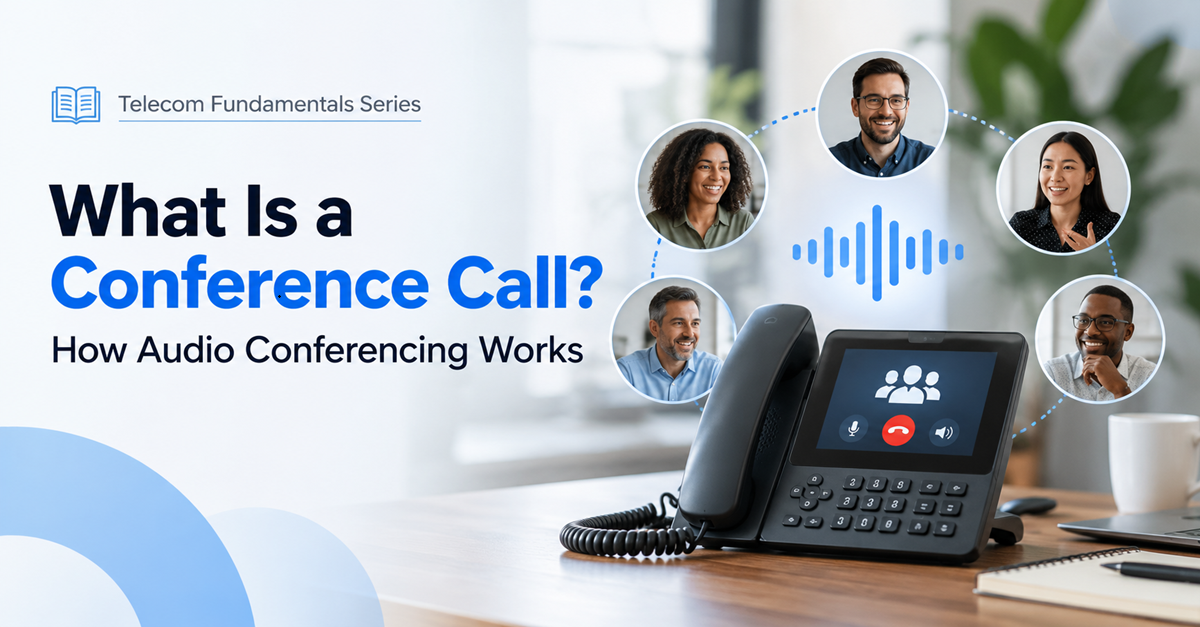
A conference call is a telephone or voice session that allows three or more people to speak and listen in a shared conversation. Rather than creating separate calls between individuals, the communications system connects everyone to one group audio session.
Some services also support listen-only attendees, allowing people to hear the discussion without speaking.
A conference call can bring together employees in different offices, customers on mobile phones, or partners in different countries. The underlying technology may include traditional telephone networks, VoIP, a PBX, or a cloud-based conferencing platform.
For attendees, the experience is simple: join the session and communicate with the group.
Brief history of conference calling
The history of conference calling follows the broader evolution of telecommunications. Early telephone systems primarily connected two endpoints at a time. As organizations grew and operations became more geographically distributed, the need for multi-party communication increased.
Telephone providers developed services that connected several callers through specialized switching and audio equipment. Early business conference calls often relied on dedicated conference bridges or operator-assisted services. Attendees dialed telephone numbers to join a shared session, while the conferencing infrastructure combined their audio.
As PBX technology advanced, businesses gained the ability to create smaller conferences directly through their telephone systems. Digital switching and software-based communications gradually expanded these capabilities.
With the arrival of VoIP, conference calling became easier to integrate with IP phones, computers, mobile devices, and cloud platforms. Today, audio conferencing is a standard feature in many business communications environments.
How does a conference call work?
To understand how a conference call works, imagine three colleagues: Alice, Bob, and Carol.
Alice calls Bob to discuss a project. During their conversation, they realize Carol should join. Alice uses the conferencing function on her phone or communications application to call Carol and add her to the existing session. Once Carol joins, all three can hear and speak to one another. Behind the scenes, the phone system manages the separate connections and distributes audio among the callers.
For larger meetings, a conference call often uses a centralized conferencing service that connects everyone to a shared virtual meeting room. This service is commonly called a conference bridge.
What is a conference bridge?
A conference bridge is the technology that connects multiple callers into a shared audio session. Think of it as a virtual meeting room for telephone calls.
Each attendee establishes a connection to the bridge. The bridge typically combines audio from the other participants and sends the resulting stream to each caller, excluding that caller’s own audio.
Modern conference bridges may also manage attendee permissions, mute controls, recording, and other conferencing functions.
A conference bridge can operate as dedicated equipment, software within a PBX, or a service hosted by a communications provider. The maximum number of participants depends on the platform, available resources, and service configuration.
Three-way calling and multi-party conferencing
One of the simplest forms of a conference call is three-way calling. A user begins a normal conversation, calls another person, and combines the two connections into a single session. This is useful for quick discussions involving a small group.
Larger conference calls generally use more advanced conferencing capabilities. Attendees may join independently through a shared number, extension, or application. A conference bridge manages the session and provides controls appropriate for the meeting.
Some platforms also support scheduled conference rooms, allowing teams to reuse the same meeting details for recurring discussions.
Both approaches support multi-party voice communication, with different levels of capacity and management.
Conference calling with a PBX
The PBX plays an important role in business conference calling. Earlier in this series, we explained how a PBX manages extensions, internal calls, incoming and outgoing connections, and other telephony features. Conferencing extends those capabilities by allowing multiple callers to share a conversation.
In an office environment, employees may initiate a conference call directly from compatible desk phones. A user can establish a call, add another attendee, and activate the conference feature.
For larger meetings, the PBX may provide access to a conference bridge or integrate with an external conferencing service. A hosted PBX can offer similar capabilities through provider-managed infrastructure.
The exact features depend on the platform. Some systems support only basic three-way calling, while others provide conference rooms, moderator controls, and larger participant capacity.
Conference calling over VoIP
VoIP introduced greater flexibility into audio conferencing. In a VoIP conference call, voice is digitized, encoded, and transported over an IP network. Attendees may connect using IP phones, softphones, mobile applications, or compatible browser-based interfaces.
As we have discussed in previous articles, SIP is commonly used to establish and manage communication sessions, while RTP or its secure variant, SRTP, commonly transports audio.
In a typical centralized SIP-based conference, the conferencing platform manages signaling sessions with participants, while a media component handles audio distribution or mixing. This architecture makes it possible to combine users on IP networks with people calling from traditional telephone numbers, provided the service supports PSTN connectivity.
The result is a multi-party call that can bring together different devices, locations, and network technologies.
How to do an audio conference call?
The steps depend on the communications platform you use.
For a small conference, you can usually begin by calling one person and using the conference function to add another. For a scheduled meeting, the organizer may create a conference room and share the joining details with attendees.
That information can include a telephone number, meeting extension, access code, or application link. At the scheduled time, attendees connect using any device supported by the conferencing service.
The organizer may have additional controls, such as muting attendees, managing access, or ending the meeting.
A good audio conference call also benefits from a quiet environment, a suitable microphone or headset, and a stable connection. These considerations become increasingly important as more people join.
What is a web conference call?
A web conference call allows attendees to join a meeting through a web-based interface or online conferencing application. Audio is typically transmitted over an IP network, and attendees may use a computer microphone and speakers rather than a traditional telephone.
Some web conferencing platforms also provide telephone dial-in options, allowing people to join the same meeting from ordinary phones.
Web conferencing can include additional collaboration capabilities, such as chat, screen sharing, presentations, and video. This article focuses on the audio component. We will examine video conferencing and its additional capabilities in the next article.
Conference calls and Unified Communications
Unified Communications brings voice, messaging, presence, meetings, and collaboration tools into connected environments. A conference call fits naturally into this approach.
An employee might begin a conversation with a colleague, realize that another team member should participate, and expand the discussion into a conference.
In some platforms, employees can also schedule audio conferences through calendar integrations or join them from the same applications they use for messaging and business calling. This makes conferencing part of an everyday communication workflow.
As organizations adopt hybrid and distributed working models, the ability to connect people across locations becomes increasingly valuable.
Benefits of audio conferencing
Conference calls offer several benefits for businesses.
Accessibility is one of the main advantages. Attendees can often join from devices they already use, including traditional telephones, mobile phones, and IP-based communication applications.
Audio conferencing also reduces the need for travel when a discussion can take place remotely. Teams can coordinate projects, involve external partners, resolve questions, and make decisions without gathering in the same physical location.
Simplicity is another benefit. When attendees only need a voice discussion, an audio conference call can provide an efficient way to communicate without requiring cameras or visual collaboration tools.
For businesses, conference calling can also extend existing PBX and Unified Communications investments by adding multi-party conversations to familiar calling workflows.
Audio quality and reliability
Audio quality largely determines whether a conference call succeeds. When several people take part, background noise, echo, delays, and interruptions can make the discussion difficult to follow.
In VoIP environments, network latency, jitter, and packet loss can affect the listening experience. The communications platform may use audio processing techniques such as echo cancellation, noise suppression, and automatic gain control to improve clarity.
However, the quality of microphones, headsets, network connections, and attendee environments remains important.
Organizations should also consider the capacity of their conferencing infrastructure, especially when many people need to join the same meeting. Reliable audio helps attendees focus on the discussion rather than the technology supporting it.
Security and privacy in conference calling
A conference call may involve confidential business discussions, customer information, or internal decisions. Security and privacy therefore deserve careful attention.
Conference platforms may provide access codes, attendee authentication, meeting locks, and moderator controls to restrict unauthorized access. IP-based conferencing can protect signaling and audio using encryption, depending on the service, devices, and configuration.
Recording requires particular care. Organizations should establish clear policies and comply with applicable consent and privacy requirements.
When selecting a conferencing service, businesses should evaluate how access is controlled, how recordings are stored, and what security protections are available.
Conference calling in the Voice AI era
Artificial intelligence is introducing new possibilities for the conference call. Modern communications platforms can integrate speech recognition and AI-powered services to generate transcripts, summarize discussions, and identify action items.
For example, after an audio conference call, an AI assistant could produce a summary of the main decisions and highlight tasks assigned during the meeting.
Other capabilities may include searchable meeting records, translation, and assistance with follow-up activities.
Voice AI can also support more interactive conferencing experiences, allowing attendees to request information or interact with connected applications using natural language.
These features depend on the platform and require appropriate attention to accuracy, privacy, and attendee consent.
The fundamental purpose of conferencing remains the same: helping people communicate and work together through a shared conversation.
Why understanding conference calls matters
The conference call is another important piece of the telecommunications landscape we have explored throughout this series.
The PSTN established global telephone connectivity. VoIP brought voice onto IP networks. SIP provided a way to establish and manage communication sessions. Hosted PBX and Unified Communications brought these capabilities into increasingly flexible business platforms.
Auto attendants, IVR, and voicemail improved incoming call handling. Intercom enabled direct communication between locations, while paging allowed organizations to broadcast announcements to groups.
Conference calling extends voice communication into multi-party conversations. It allows people to collaborate in real time, whether they connect through traditional telephones, IP phones, or modern communications applications.
And as software and AI become more deeply integrated into business communications, the conference call continues to evolve with new tools for productivity and collaboration.
So far, we have focused on conversations people can hear. But what happens when attendees also need to see one another, share presentations, and collaborate visually? That brings us to the next article in the series: What Is Video Conference and How Does It Work?


Leave a comment