
In our telecommunications series, we have followed the evolution of voice communication from the PSTN to modern IP-based systems. And each technology solves a different communication problem. Now, we turn to what is intercom and how it works in a VoIP environment.
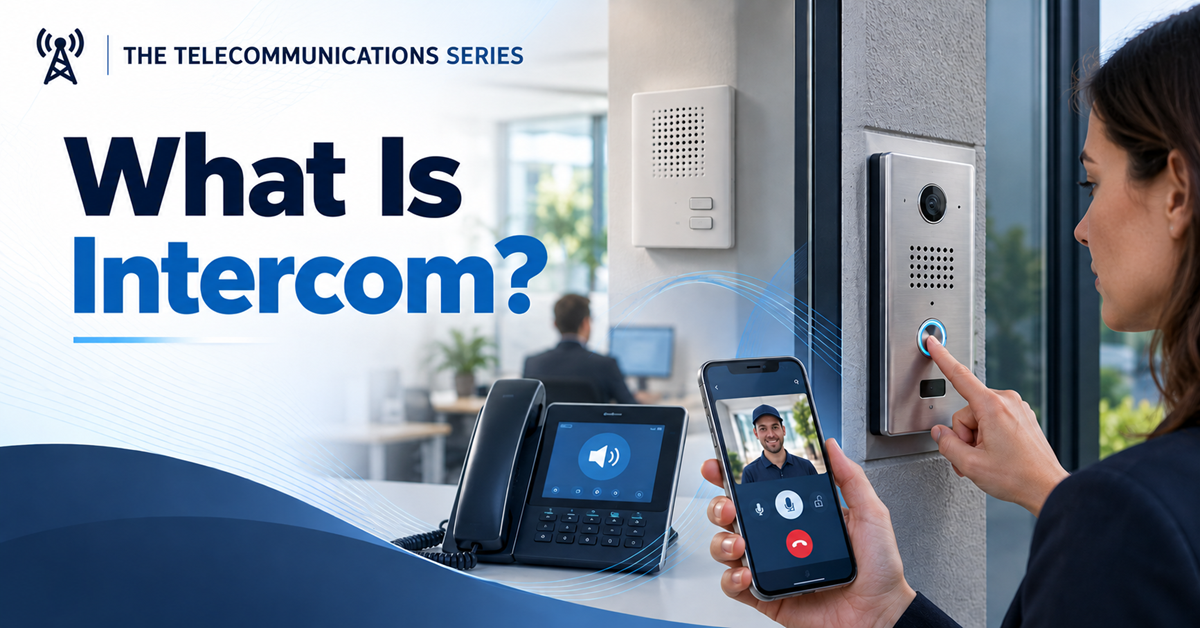
This article explores how intercom systems work, how they differ from ordinary phone calls and paging, and how traditional wall-mounted stations evolved into modern IP-connected endpoints.
What is intercom?
An intercom is a communication system or feature that enables direct communication between people at different locations. It commonly supports two-way voice communication. It may also include video, door release, mobile applications, or integration with other systems.
The word comes from intercommunication, namely providing a direct communication channel between specific locations. Therefore, an intercom can be encountered in many places: office buildings, apartment complexes, schools, hospitals, warehouses, hotels, factories, or gated entrances.
In a basic interaction, one user initiates communication with another endpoint. The microphone converts speech into an electrical or digital signal. Next, the system transports it and the destination speaker converts it back into sound. If the system supports two-way communication, the receiving user can respond through the same or a separate audio path.
The term intercom can refer to several related things:
- A complete communication system
- A physical station or endpoint
- A feature on an IP phone or PBX
- A communication mode that allows direct or automatic answering
Even as the technology behind it has changed, the basic purpose remains the same.
How intercom systems evolved
Traditional telephone networks were designed to connect people across distances. Organizations also needed a simple way to communicate inside buildings and other controlled environments.
Early intercom systems provided that capability through dedicated wiring and analog electronics. Businesses could connect a reception desk with offices. Apartment buildings could connect visitors at the entrance with residents. Factories could provide direct communication between operational areas.
These systems were usually tied to specific physical locations and dedicated hardware. Some used a master station with several substations. Others used point-to-point or shared-party communication.
The arrival of IP networking and VoIP pushed that evolution further. Instead of relying exclusively on dedicated analog wiring, intercom endpoints could now use:
- Ethernet networks
- IP phones
- Software applications
- Mobile devices
Digital, wireless, and IP-based systems later expanded intercom capabilities. These technologies made features such as video, remote access, centralized management, and integration with other devices increasingly practical.
Components of an intercom system
An intercom system consists of endpoints that allow users to communicate over a local or IP-based communications infrastructure.
Traditional systems often included a master station and several substations. The master station could provide centralized controls, while substations were installed throughout a building or property. Other systems used a simpler point-to-point design.
A station typically includes:
- Microphones
- Speakers
- Call buttons or keypads
- Volume and call controls
- Displays or status indicators
Depending on the application, an endpoint may also include:
- Cameras
- Door-release controls
- Emergency buttons
- Card readers
- Connection to another security system
Modern intercom endpoints can take many forms. Dedicated wall units still exist. IP phones, computers, mobile devices, video terminals, door stations, and software applications can also participate in intercom-style communication.
How it works
Consider a simple example. Alice works at a reception desk and needs to speak with Bob in another part of the building.
Alice selects Bob’s intercom station or extension and starts the communication. Her microphone converts her voice into a signal. The intercom system transports that signal to Bob’s endpoint, where a speaker converts it back into audible sound. Bob can then respond.
Older analog systems used dedicated wiring to carry the audio between stations. Digital systems, on the other hand, process the audio electronically before transmitting it. In an IP-based intercom, the voice is digitized and transported across a data network.
The experience remains simple for Alice and Bob even though the underlying technology may resemble other forms of VoIP communication.
The exact process depends on the system:
- The user selects an endpoint, extension, group, or destination.
- The system establishes the communication path.
- The receiving endpoint alerts the recipient or follows an auto-answer rule.
- Audio or video is exchanged.
- The session ends when one of the participants disconnects.
Some systems support group communication, while others are limited to one-to-one conversations.
Intercom, VoIP, and PBX integration
A PBX can support intercom functions alongside ordinary business calling. On systems that provide this feature, an employee may select another extension and initiate an intercom session through the PBX.
Availability and behavior depend on the PBX, endpoints, permissions, and configuration. The receiving device may alert the user, auto-answer in speakerphone mode, or use another configured intercom behavior.
Many IP intercom endpoints use SIP to establish audio or video sessions through an IP PBX, hosted communications platform, or another compatible call-control system. However, not every IP intercom uses SIP. Some systems rely on proprietary protocols or application-specific signaling.
An organization may use compatible IP phones, door stations, speakers, mobile apps, or software clients for intercom. This can reduce the need for a completely separate communications network.
Intercom then becomes one of several capabilities available on a modern business communications platform, alongside:
- Telephone calling
- Voicemail
- Presence
- Conferencing
- Messaging
- Paging
- Video communication
Intercom in an IP environment
An IP intercom transports voice or video over an IP network rather than relying exclusively on dedicated analog wiring.
This can give organizations more flexibility in where endpoints are installed and how they communicate. However, an IP-based design still requires careful planning. Important considerations may include:
- Power, including Power over Ethernet (PoE)
- Network capacity and resilience
- VLAN and firewall design
- Quality of Service (QoS) for real-time audio and video
- Multicast support for group communication or paging
- Authentication and access control
- Software updates and device management
- Remote-access security
IP-based systems can also make it easier to connect multiple locations when the network architecture supports it. The result is a system that can combine dedicated devices with software, data networks, cloud services, and business applications.
Intercom vs. a regular phone call
In a conventional telephone call, the receiving party normally answers before the conversation begins. An intercom can provide a more immediate communication experience.
For example, an authorized employee can establish audio through the phone’s speaker after an alert. Other systems may auto-answer the call or use a dedicated intercom mode.
The exact behavior depends on the PBX, endpoint, permissions, and configuration. Intercom is therefore not defined by one specific alerting method. Its distinguishing characteristic is direct, targeted communication between selected endpoints or groups.
This can be useful when employees need quick communication. Going through the complete experience of a conventional telephone call is no longer necessary.
At a minimum, organizations should define:
- Who can initiate intercom sessions
- Which endpoints may auto-answer
- Whether the receiving user can reject or mute a session
Security and privacy controls are important.
Common intercom applications
Intercom systems are used in many environments.
Offices
Office intercoms can support quick conversations. A business may implement this function through dedicated stations, IP phones, or a communications platform.
Apartment buildings
Residential intercoms commonly connect an entrance station with individual apartments. A resident can communicate with a visitor before deciding whether to grant access.
Hospitals and care facilities
This technology is also useful for hospitals and care facilities. It may support communication between rooms, nursing stations, service areas, and staff locations.
Systems used in these environments will require high availability, privacy controls, and emergency features.
Industrial sites
Factories, warehouses, transport facilities, and other industrial environments can also benefit from this technology.
Depending on the environment, they may require ruggedized intercom endpoints. Such devices can help employees communicate across noisy or widely separated operational areas.
Schools and public buildings
Schools, hotels, parking facilities, campuses, and secured buildings may use intercoms in different ways, such as:
- Reception
- Visitor management
- Emergency communication
- Coordination between rooms and departments
Although the environments differ, the fundamental goal remains the same: making direct communication between selected locations fast and convenient.
Audio and video intercom
Traditional intercoms were primarily audio systems. Modern systems can add video and other connected functions.
A video intercom allows users to see the person at the other endpoint while communicating with them. This is particularly useful for entrances and access-control applications.
Someone inside an office or residential building can see a visitor, speak with them, and potentially grant access through an integrated door-control system. Network cameras, mobile applications, and cloud services can extend these capabilities further.
A video intercom may combine:
- A camera
- A microphone and speaker
- A display or mobile application
- A door-release mechanism
- An access-control platform
- Event notifications or recording
Video intercoms are useful for identifying visitors. Organizations should also consider privacy, data retention, and applicable legal requirements.
Intercom and access control
Access control is one of the most familiar applications of intercom technology.
Imagine that a visitor arrives at an office building and presses a button at the entrance. The intercom establishes communication with reception. The receptionist can speak with the visitor and, in a video system, see who is requesting access. If the visitor is authorized, the receptionist may use the same interface or an integrated system to unlock the door.
Systems that control doors should use security and reliability measures appropriate to the building. These may include:
- Permission separation
- Audit logs
- Secure authentication
- A suitable fail-safe or fail-secure design based on the application and applicable requirements
This illustrates how communication technologies increasingly connect with other business applications rather than operating as isolated systems.
The difference between intercom and paging
Intercom and paging frequently appear together, but they serve different communication patterns.
An intercom typically supports targeted, two-way communication between selected endpoints or groups. Paging is generally designed to broadcast a one-way announcement to one or more recipients or zones.
The two technologies can share infrastructure and may even use the same endpoints. For example, an IP phone or speaker may support both an intercom call and a paging announcement.
Consider these examples:
- Calling reception from a warehouse is an intercom use case.
- Speaking with a visitor at a building entrance is an intercom use case.
- Announcing that the building will close in ten minutes is a paging use case.
- Broadcasting an emergency instruction to every zone is a paging use case.
The distinction is not always absolute. Some systems support group intercom, talkback, or two-way paging. For that reason, the communication direction and system behavior matter more than the product label.
Modern IP communications platforms support both. We will explore paging and VoIP paging separately in the next article.
Choosing an intercom system
Once an organization understands what is intercom and how it can support communication, the next question is what kind of system fits its environment.
The answer depends first on how people need to communicate. A small office may need simple communication between a few endpoints. A large facility may require hundreds of devices across multiple buildings. A secure entrance may require video and access-control integration.
Organizations should evaluate the number and type of endpoints they need, along with their audio and video requirements, network compatibility, power and cabling, and integration with SIP, PBX, or access-control systems. Scalability, centralized management, reliability, redundancy, mobile access, recording requirements, vendor support, and future compatibility can also influence the decision.
Security deserves particular attention. Intercom devices connected to an IP network should be protected like other networked communications endpoints.
If the system controls doors or other physical equipment, organizations should also evaluate the consequences of unauthorized access, network failure, power loss, and device compromise.
Intercom in Unified Communications
Unified Communications has expanded how intercom-style communication is used in the workplace.
Employees are no longer necessarily sitting beside fixed desk phones. They may communicate through laptops, smartphones, IP phones, and other connected devices.
Modern communications platforms can bring intercom-style functionality into this environment. The same infrastructure that manages external calls may also support direct internal voice communication between employees or endpoints.
This can simplify administration and give organizations more flexibility. However, mobile and remote use also makes identity management, permissions, device security, and privacy more important.
The future of intercom systems
Artificial intelligence may extend intercom systems with speech recognition, language translation, transcription, automated visitor screening, and connections to access-control workflows.
Consider an entrance intercom. A future system could combine voice interaction with visitor information, business applications, or an AI assistant to collect basic details before involving an employee.
In operational environments, voice interfaces could also help users initiate communications. Or simply interact with connected systems without navigating complicated controls.
These capabilities should be treated with care. They require careful attention to privacy, security, reliability, accessibility, and user expectations. This is particularly important when intercoms are used for building access or other sensitive functions.
The broader direction is clear. Voice communication is becoming increasingly connected with software, data, automation, and AI.
Why intercom matters
Intercom systems occupy a distinct place in the telecommunications landscape.
The PSTN and VoIP connect callers across networks. SIP provides signaling for real-time communication. SIP trunks connect business phone systems with providers. DID numbers provide public telephone identities. Hosted PBX and Unified Communications bring communications into flexible software platforms.
Auto attendants and IVR automate how incoming calls are handled. Voicemail gives callers a way to leave messages when conversations cannot happen immediately.
Intercom focuses on direct communication between people or locations within an organization, building, campus, or other controlled environment. Modern intercoms may use analog wiring, digital electronics, Ethernet, SIP, mobile applications, video, access control, and automation.
When an organization needs a message to reach many people rather than a conversation, paging is usually the better fit.
That leads to the next article in the series: What Is Paging and how does VoIP Paging Work?


Leave a comment